Run your entire building on one platform

Modules for access, visitors, security guards, time and attendance, and parking share the same personal profiles and monitoring center. The system is installed on your own servers and scales from one building to many sites.

Centralized management

All modules share personal profiles and one monitoring center
Flexible integration
Supports devices from multiple manufacturers and connects to other software
Data on your premises
Installed on your own servers, with permissions down to each action
Flexible scaling
Add modules and buildings to the same system

One shared platform for your organization's security and operations

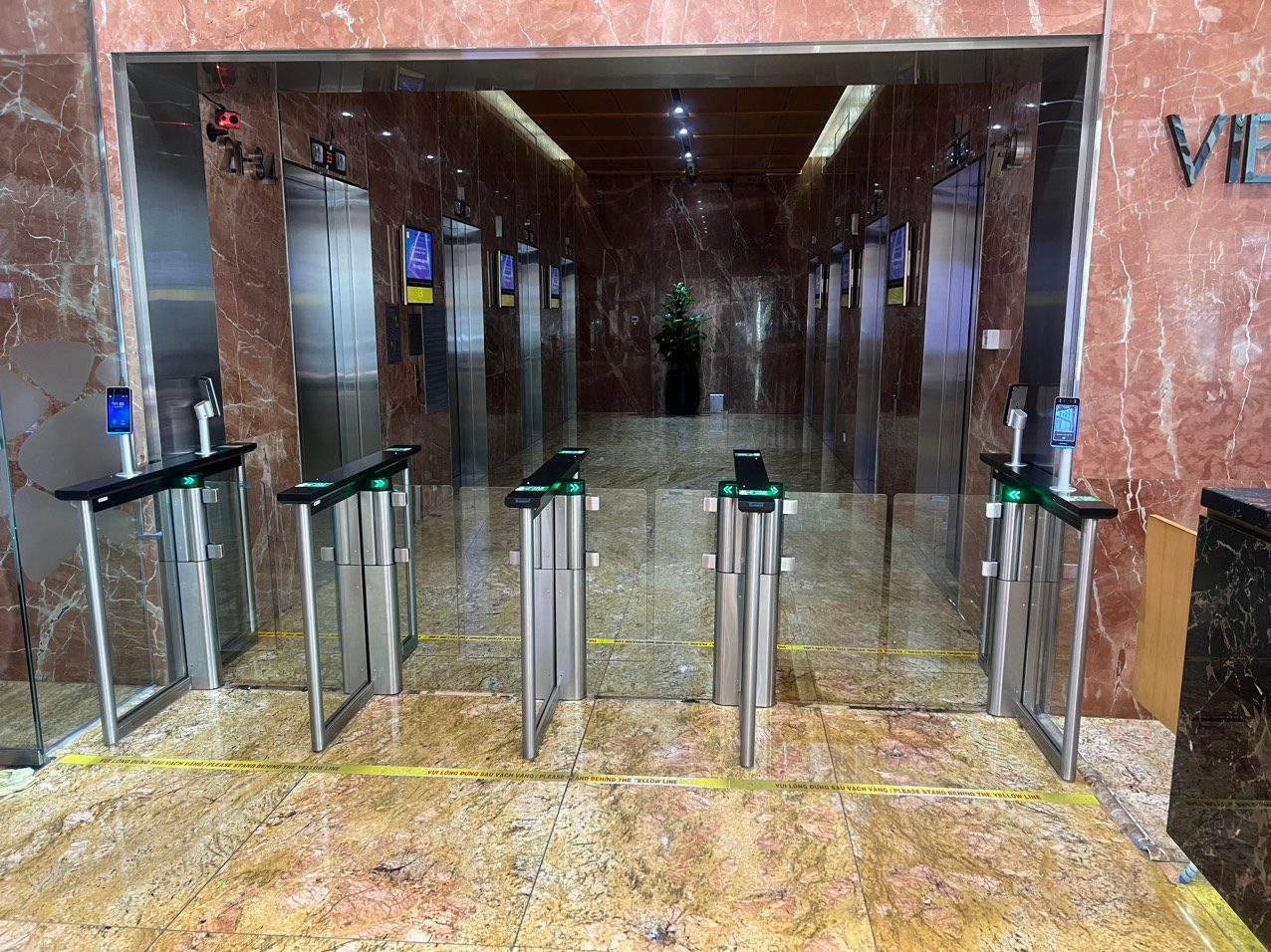
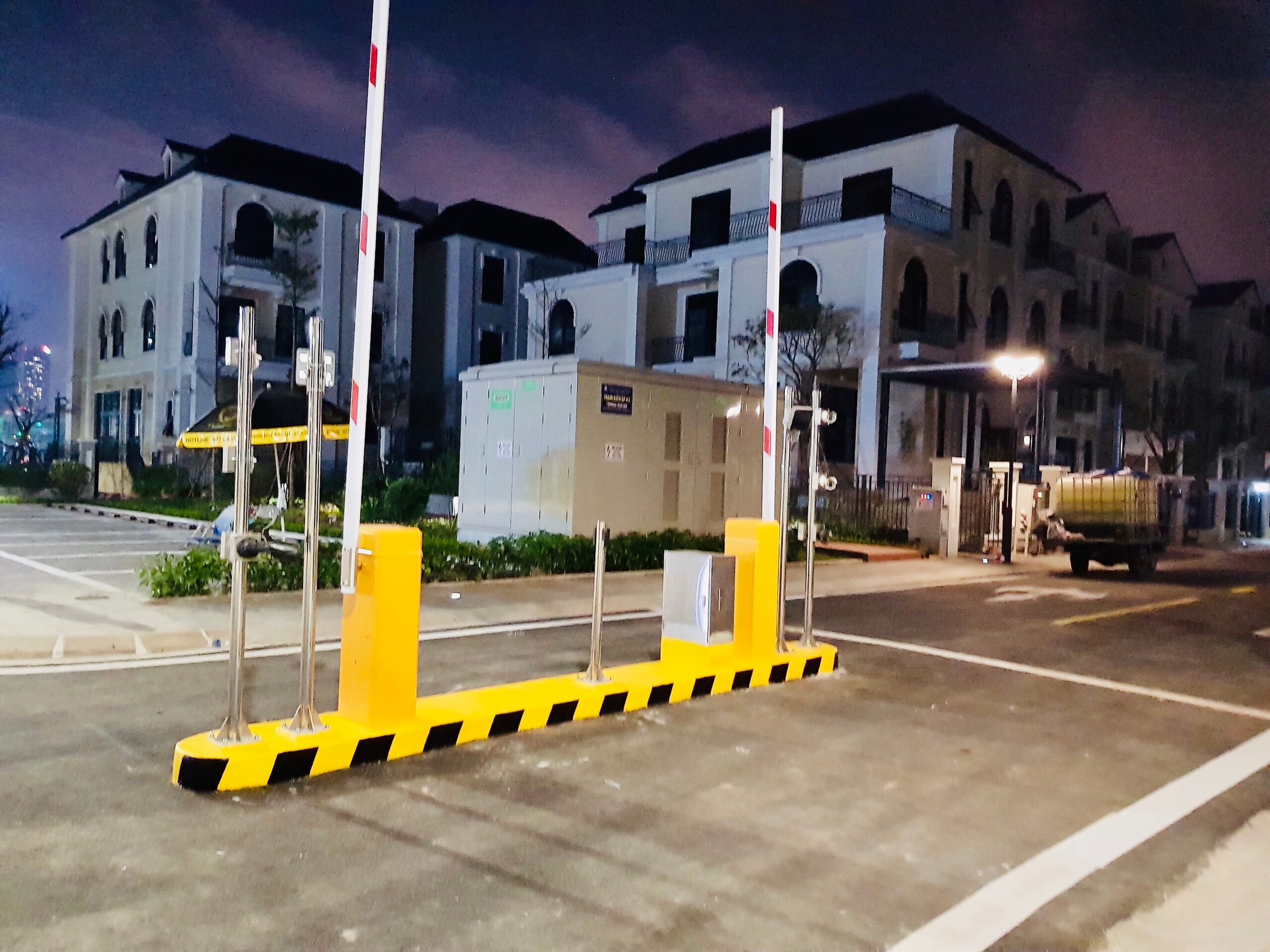
TECHPRO iONE is the shared platform behind the access control, video surveillance, visitor management, guard patrol, time & attendance and parking management modules. The modules share personal profiles, permissions, devices and reports, so your organization manages everything that happens in the building in one consistent way.

  • Centralized management

    Every task on one system, with shared profiles and one monitoring screen

  • Data on your premises

    Stored on your own servers, with role-based permissions and a record of every change

  • Flexible integration

    Use Suprema, Hikvision, ZKTeco and Turboo devices and connect to other software

  • Flexible scaling

    From one building to many sites, adding modules as needed

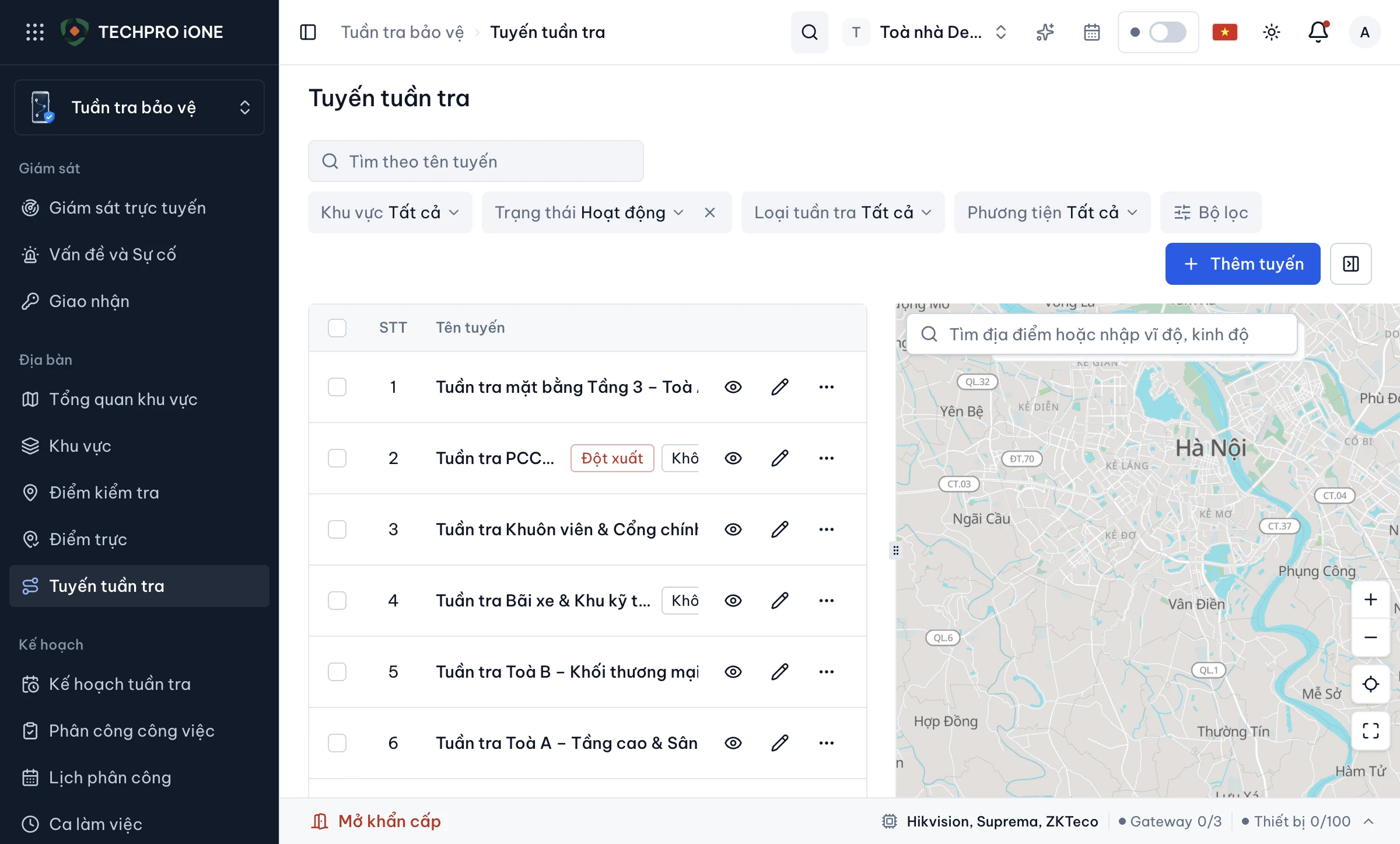
Management oversees the entire building from one place

Every task on one system

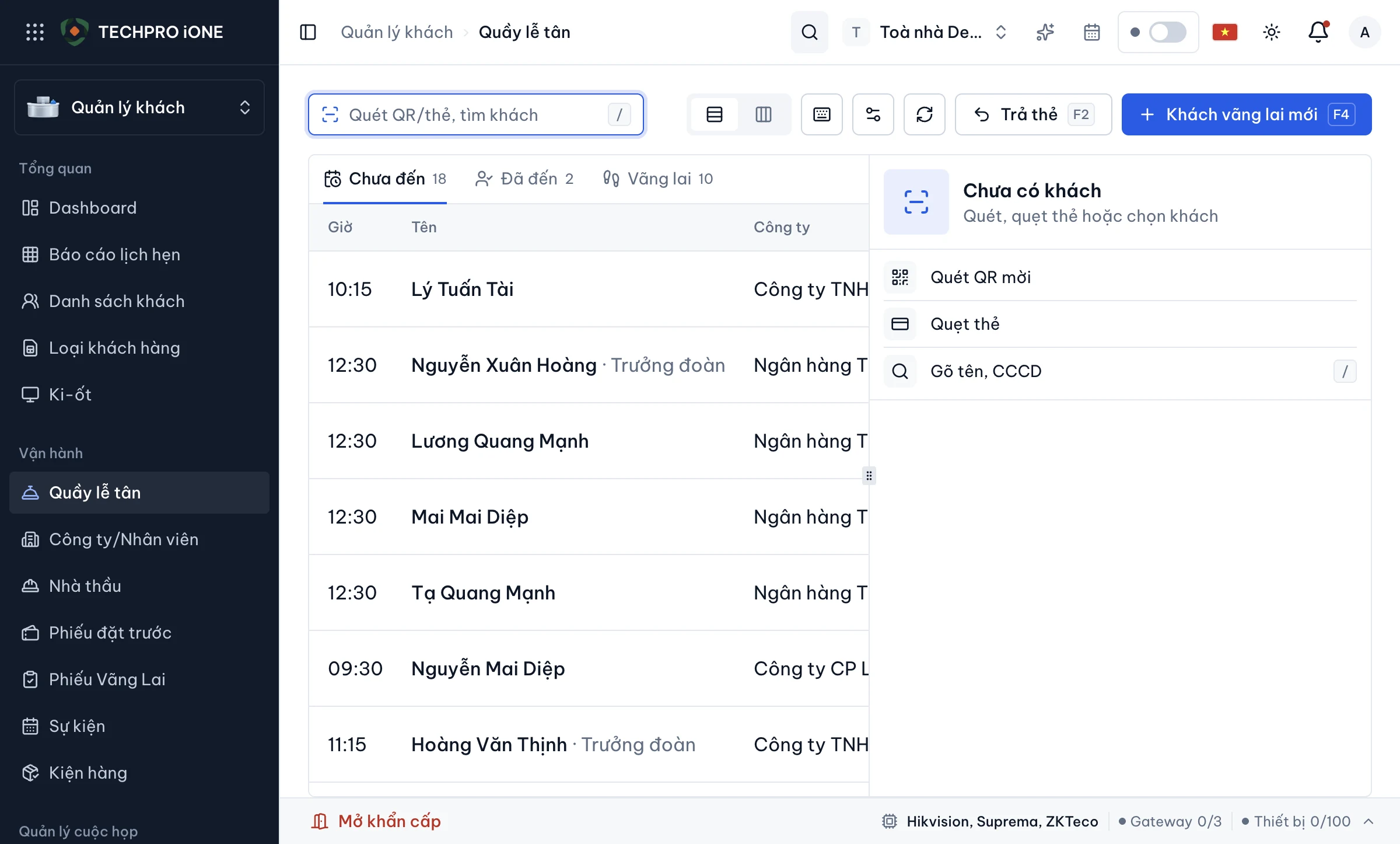
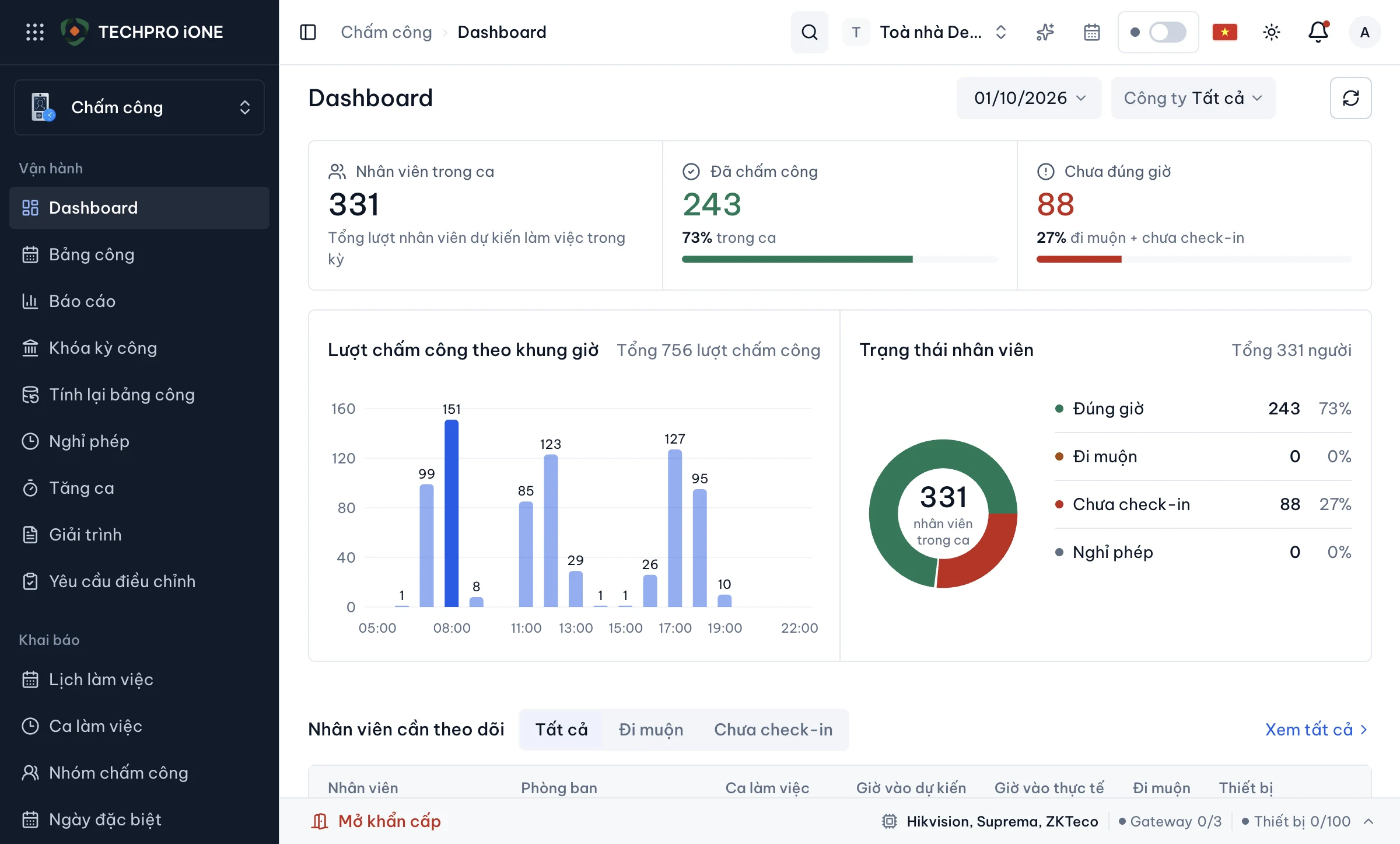
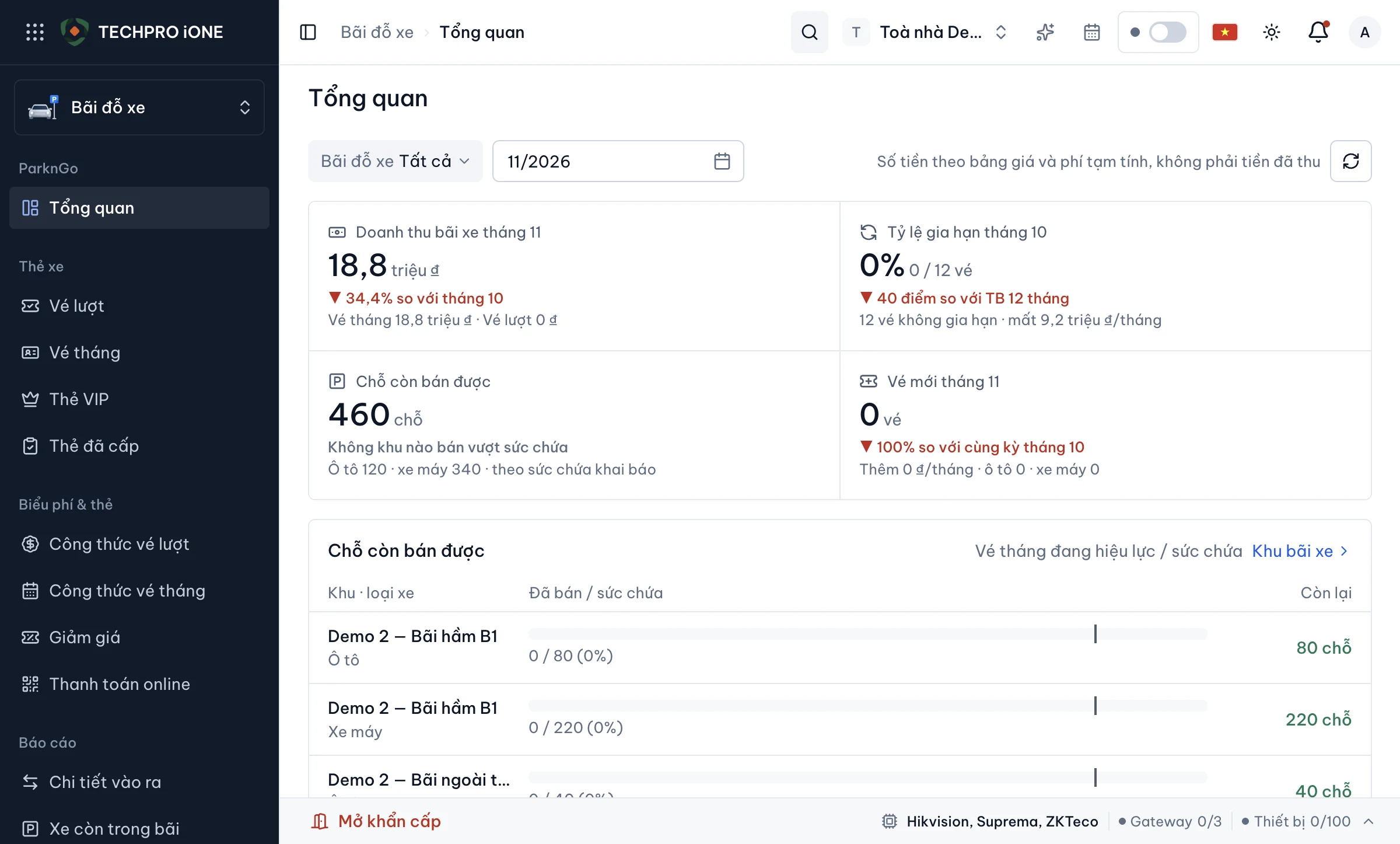
Building management, security, reception and HR work on one system instead of several disconnected applications. A new employee's profile works right away for access, attendance and parking. Start with the module you need now and activate more as your needs grow.

  • Modules share personal profiles, permissions and reports
  • Licensed per module, with more modules activated on the same system
  • Each building chooses the modules that suit the way it operates
Licensing by module

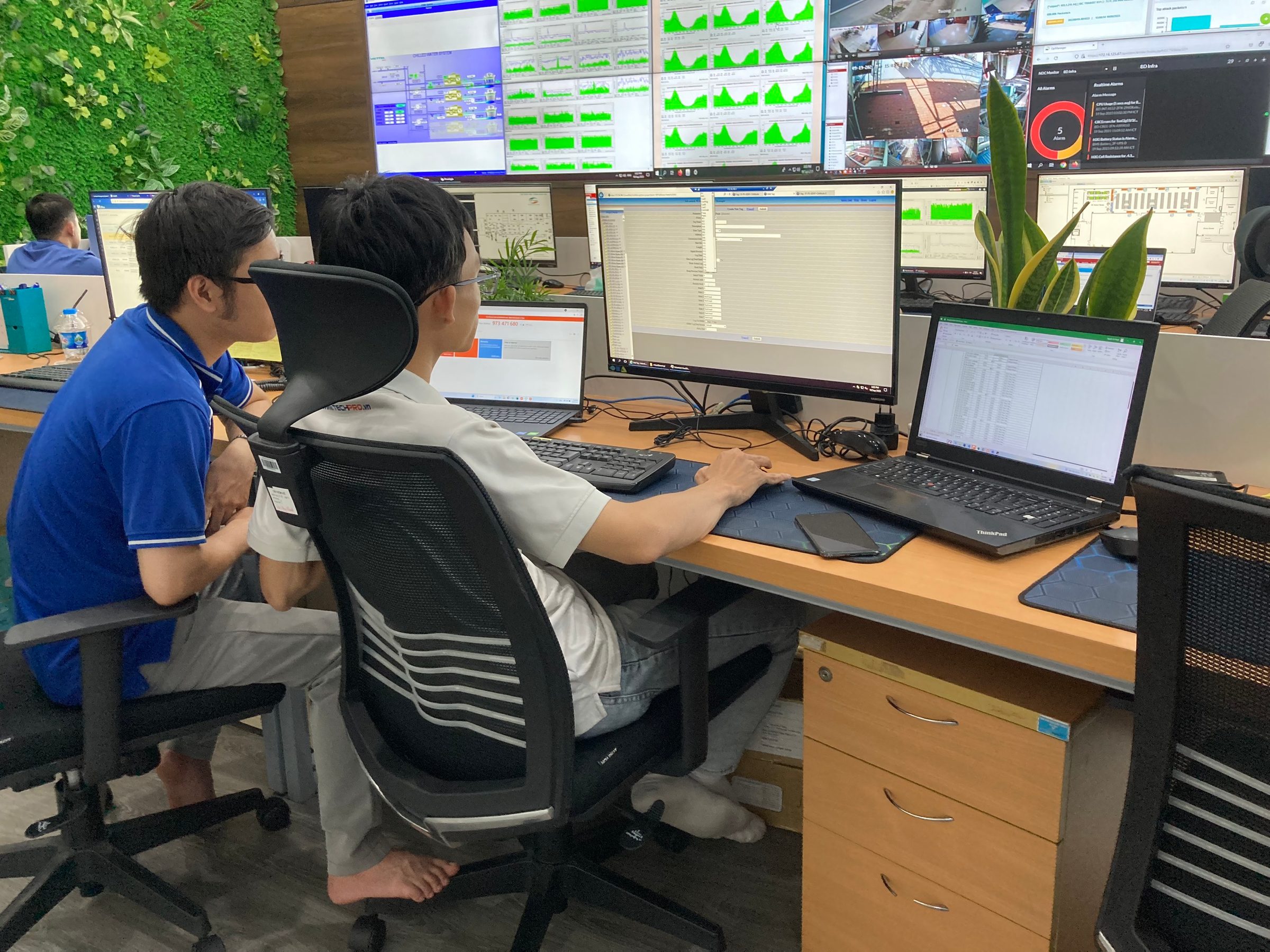
Monitor the entire building on one screen

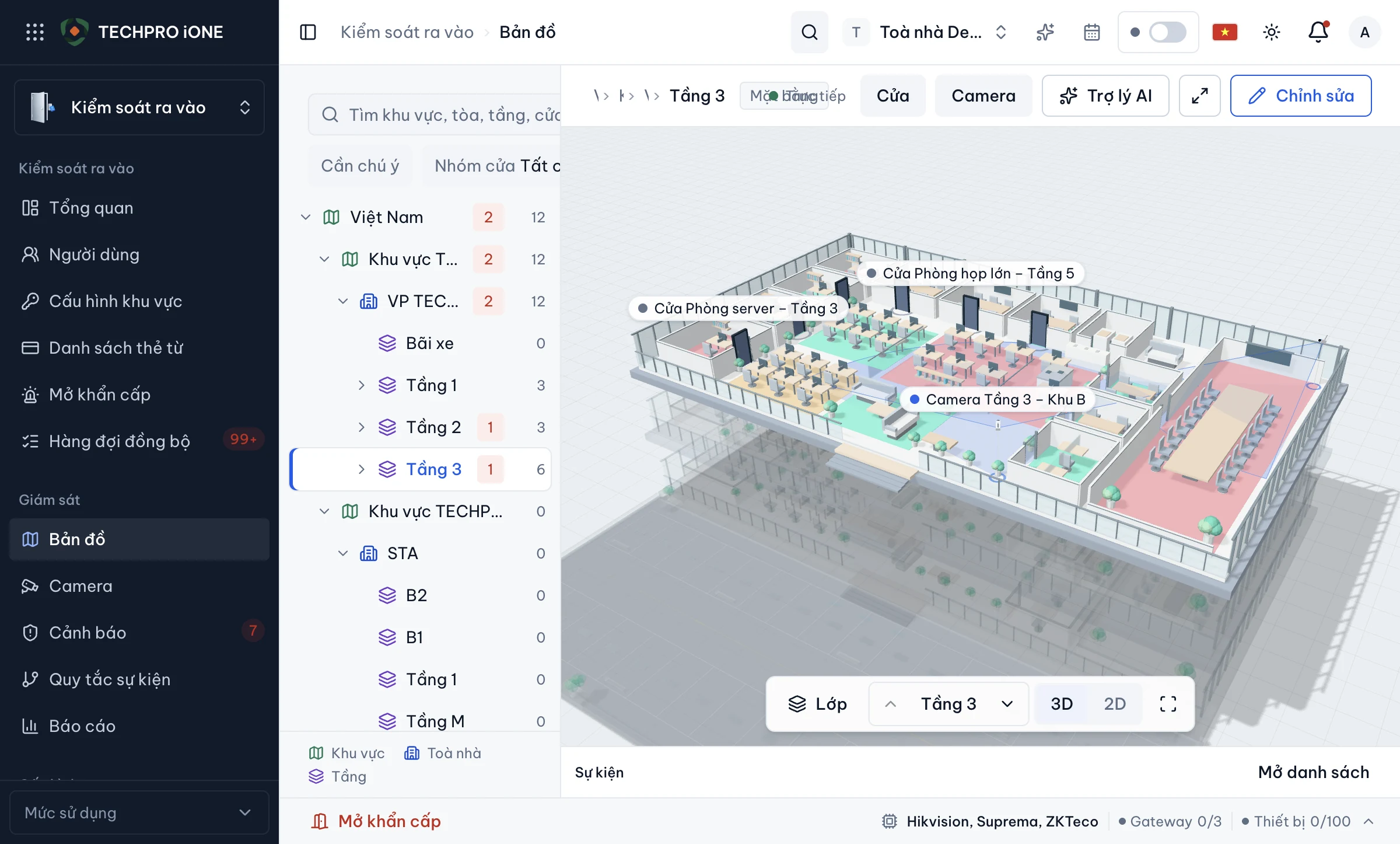
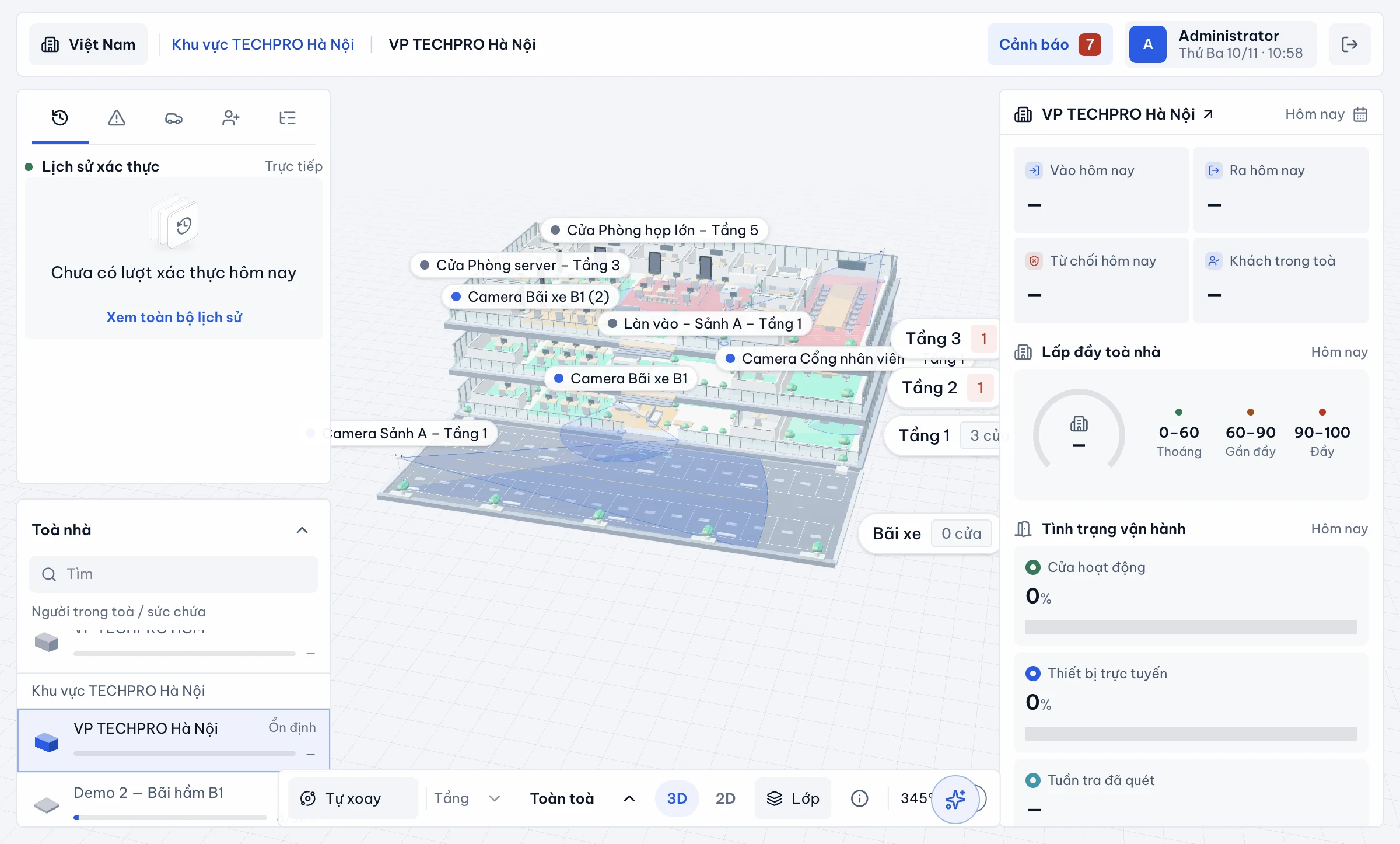
Operators view a 3D model of the building with alarms, door status, cameras and access events, see which area needs attention first, and switch to another building from the same overview screen.

Building overview

Occupancy by buildingSample data

  • Office tower A612 / 1,200 (plenty of space)
  • Office tower B1,284 / 1,780 (nearly full)
  • Workshop C1,940 / 2,000 (full)
  • Warehouse DNo data yet

    No capacity has been set for this building

Three levels: below 60% is plenty of space, from 60% is nearly full, and from 90% is full. When data is missing, the figure is left blank and the reason is shown.

  • Occupancy against capacity, calculated from entries through doors
  • Alarms and access events update as soon as the devices report them
  • Metrics without data are left blank, with the reason shown

A system that stays under your organization's control

Data on your premises

The system and its data reside on your own servers. Each person can act only within the permissions of their role, and every change is recorded for audit.

  • Role-based permissions down to each action: view, create, edit, delete, export and approve
  • Who made each change, with before and after values, kept for 24 months and exportable to Excel
  • Optional encryption of names, citizen ID (CCCD) numbers, phone numbers and email addresses
Roles and permissions

Sign in with company accounts

Staff sign in with their existing company accounts through Active Directory or your single sign-on system. IT manages accounts centrally, and the accounts of people who have left are removed when the system syncs with Active Directory.

  • Accounts are created automatically at first sign-in, with roles taken from groups in your identity system
  • Option to require everyone to sign in with a company account
  • An extra layer of protection with security keys or one-time passcodes (OTP)
Single sign-on

Easy to deploy and maintain

The system installs on a Windows server from a single installer. Upgrades keep your configuration and data intact. When a license expires, the system only displays a warning; doors, devices and data keep working as normal.

  • Automatic daily, weekly or monthly backups, with an optional extra copy to a network folder
  • Backups include data, attachments and configuration
  • Restored data is checked before it goes live, and the system rolls back automatically if anything fails
Backup and restore

From one building to many sites

As your organization grows, add buildings, branches or factories to the same system. Each site runs the way it needs to, while management monitors everything centrally from the overview screen.

  • Each building has its own modules, report templates, email templates and time zone
  • Single sign-on and AI assistant settings for each building
  • Group buildings by region; the building directory compares figures by day
Buildings

An AI assistant, enabled only when you need it

Operators can ask about the building in plain language, for example which alarms have occurred today. The assistant is off by default. When enabled, it uses an external AI service of your choice, so it needs an Internet connection.

  • Any action that changes something, such as controlling a door, waits for the user to confirm
  • Email addresses, phone numbers, ID numbers and license plates are masked before anything is sent
  • Set monthly and per-user cost limits
AI assistant

Reports in each building's own format

Each building adapts its report and email templates to its own processes. Management receives reports in the format it needs, with no manual editing after export.

  • Edit PDF report templates in the software, separately for each building
  • Customize notification email templates for each building
  • Export to Excel and PDF for management and auditors
Report templates

Keep the devices you own, connect the software you already use

As you expand, choose devices to fit your needs and budget without depending on one manufacturer.

Send your device list for a compatibility check

Devices from many manufacturers on one system

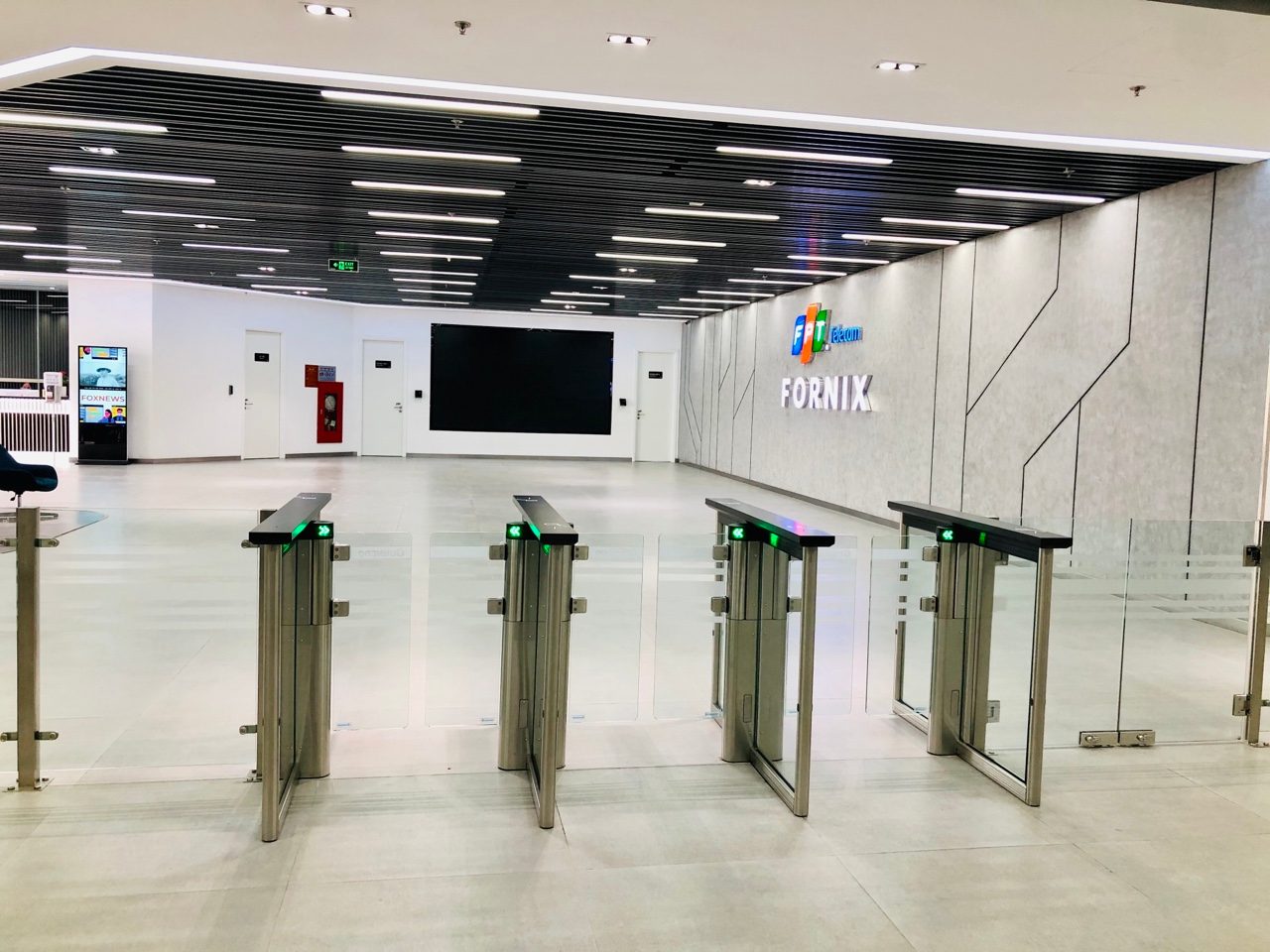
Readers, turnstiles, door controllers and cameras from different manufacturers all work together in TECHPRO iONE. Alarms from every manufacturer are classified using the same criteria.

HikvisionSupremaZKTecoTurboo
See supported features by manufacturer

Connect to other software

Software your organization already uses can exchange data with TECHPRO iONE. Integration documentation is provided to your IT team or system integrator.

  • Currently supports visitor and appointment data
  • Other integration needs are discussed during the site survey

The list of tested device models is included in the technical documentation.

Questions about the platform

On servers your organization manages. The system needs an Internet connection once to activate the license. Some features connect to outside services, such as maps, sign-in location lookup and the AI assistant when enabled.